
 Español
 Deutsch
 Français
 Português (Brasil)
 Türkçe
 Русский
 简体中文
简体中文 日本語
日本語Themes for your storefront and client portal
PNLCS ships with sixteen themes. Install and switch them under Appearance in the admin panel, then set your own logo, favicon and footer. Pick a theme to see its colours on an example storefront.
The preview is painted from each theme’s theme.json. Layouts differ between themes; the live demo shows the real thing.
All themes
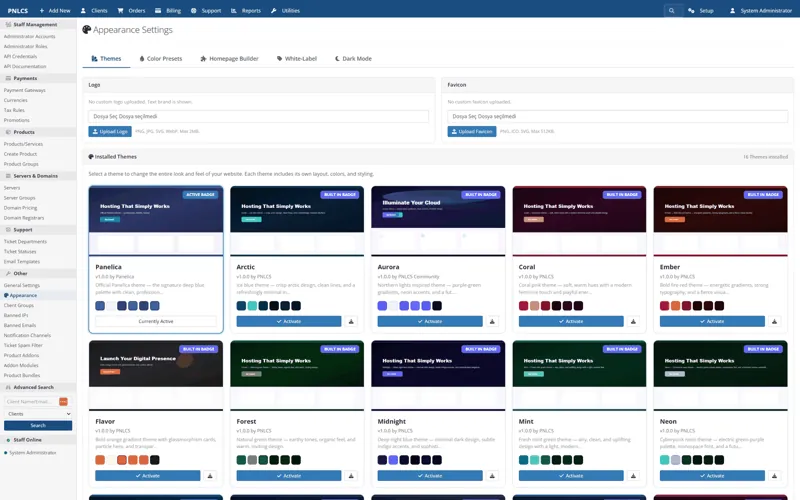
The Appearance screen
Every installed theme appears with its preview under Appearance. Activate one, and the storefront and client portal change together.
- Homepage builder
- Reorderable sections
- Logo and favicon
- Footer and copyright
- Dark mode per theme
- 30 languages
Build your own theme
A theme is a folder with a theme.json, a stylesheet and optional view overrides. Package it as a zip and install it from the admin panel.
Try PNLCS
Click around the live demo, or install it with Docker.