
 Español
 Deutsch
 Français
 Português (Brasil)
 Türkçe
 Русский
 简体中文
简体中文 日本語
日本語Shared hosting
Most billing systems stop at “here is your control panel password”. With PNLCS and the Panelica server module, the day-to-day hosting work happens in the billing portal itself.
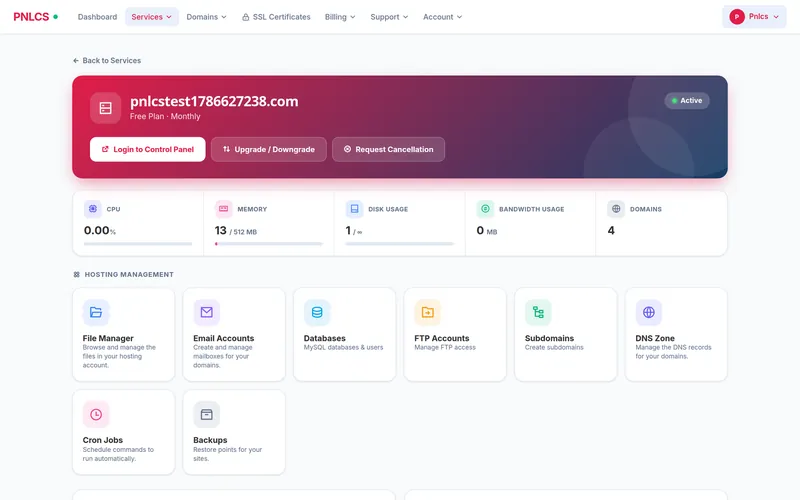
Eight tools, without a second login
Each hosting service shows live CPU, memory, disk and bandwidth from the server, and these tools.
| Tool | What the customer can do |
|---|---|
| File manager | Browse, upload, download, edit, rename, create folders and delete |
| Email accounts | Create and delete mailboxes, change passwords, open webmail |
| Databases | Create MySQL databases and users, reset passwords, open phpMyAdmin |
| FTP accounts | Create accounts, change passwords, delete, with host and port shown |
| Subdomains | Create and remove; the panel sets up the vhost, document root, PHP pool, SSL and DNS |
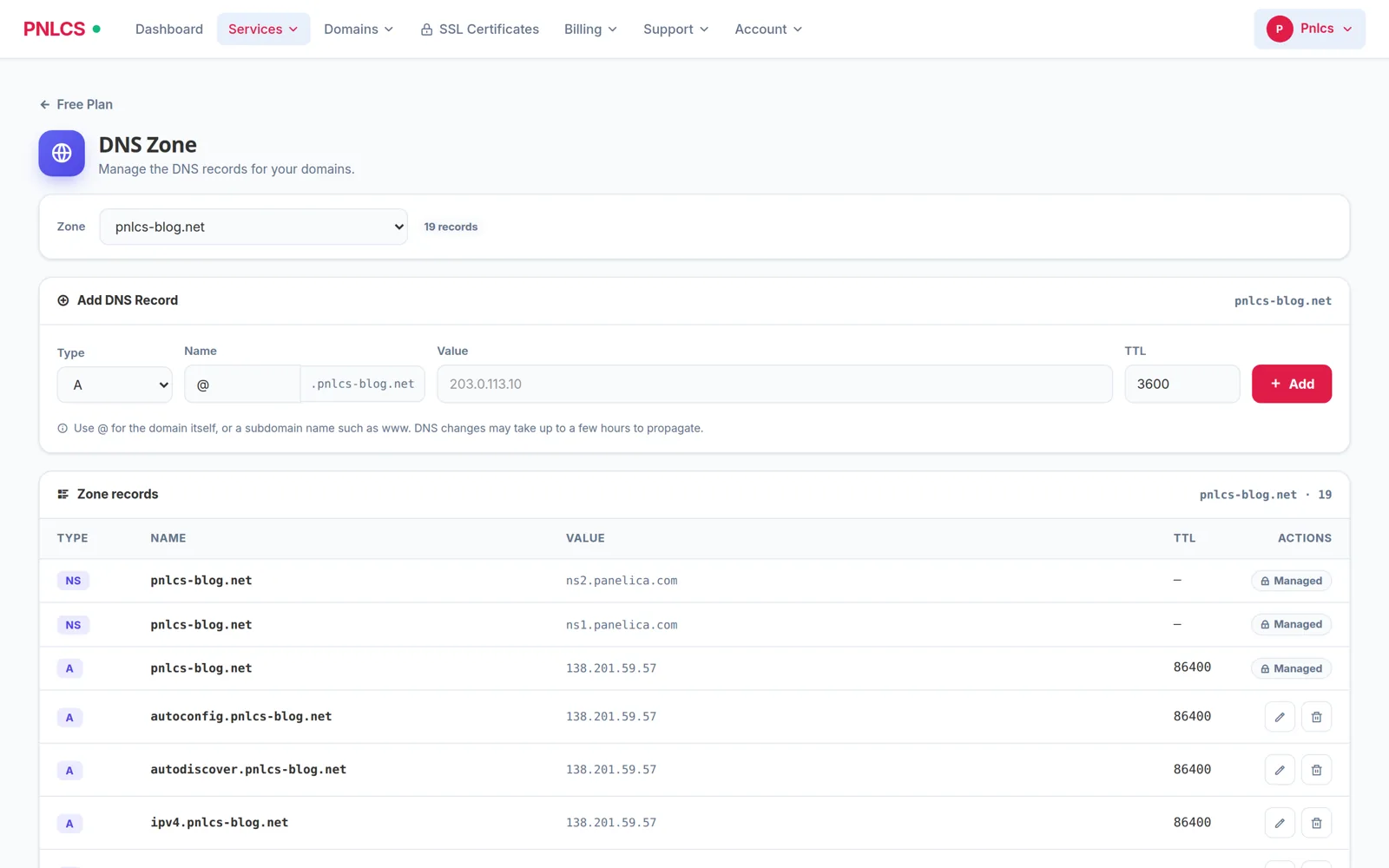
| DNS zone | Add, edit and delete A, AAAA, CNAME, MX, TXT, SRV and CAA records |
| Cron jobs | Schedule commands, run one now and read its output, pause, resume, delete |
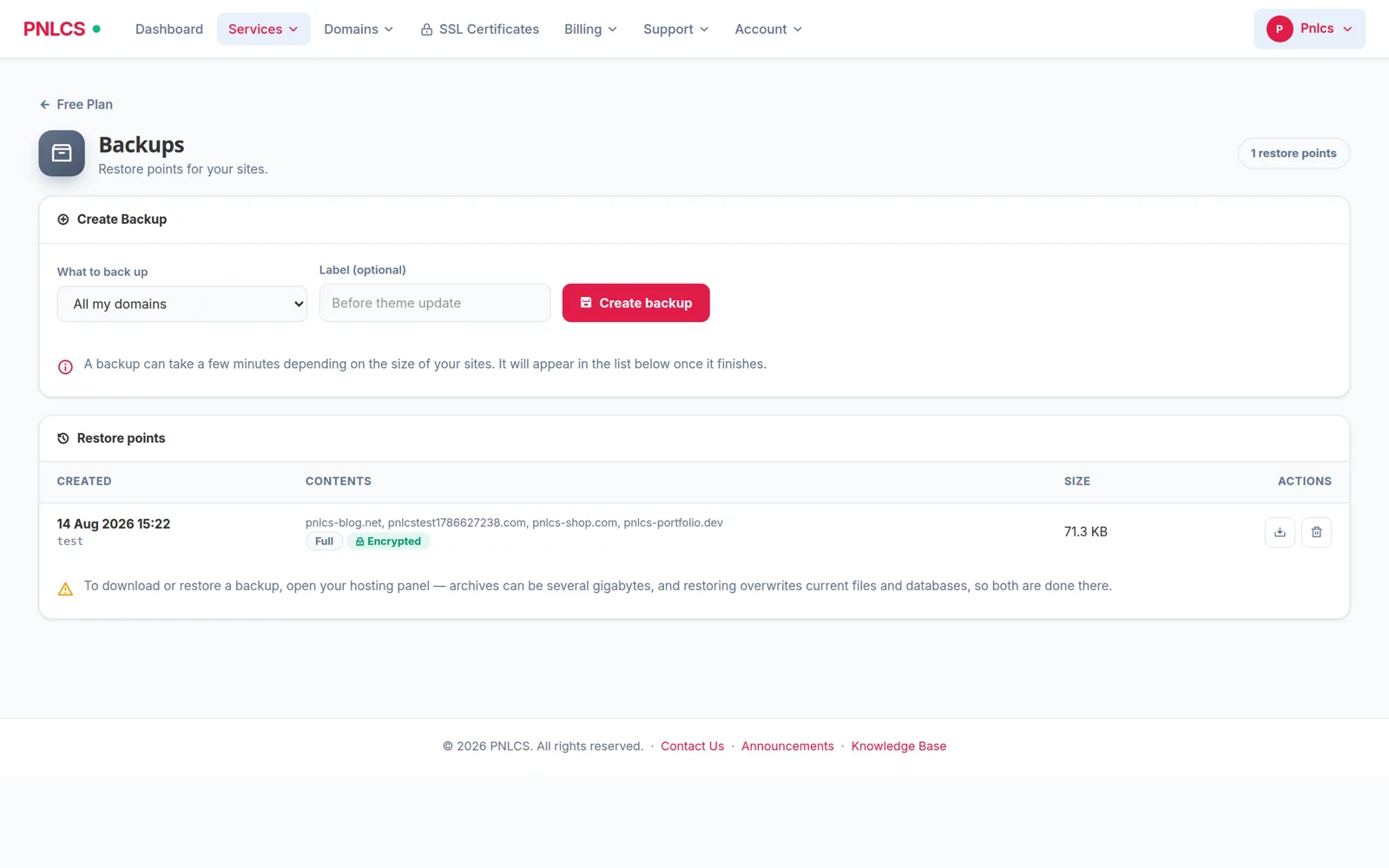
| Backups | Take restore points, see their size and contents, delete old ones |
The in-portal tools need the Panelica server module. With cPanel, Plesk, DirectAdmin and HestiaCP, PNLCS provisions and suspends the accounts and customers manage them in their control panel.
Fenced to the customer’s own account
The server key a billing system holds can see every account on the box. PNLCS filters every list against the domains of the service being viewed, and checks every change the same way before it is sent.
- A backup that also covers someone else’s domain is not shown and cannot be deleted
- A cron job, subdomain or DNS record on a foreign domain is refused before any request leaves the billing server
- Plan limits are read from the hosting plan, and the panel enforces them again on its own
Backups and cron jobs
Customers take and restore backups and manage cron jobs themselves, within their plan’s limits.
Try PNLCS
Click around the live demo, or install it with Docker.